Introduction
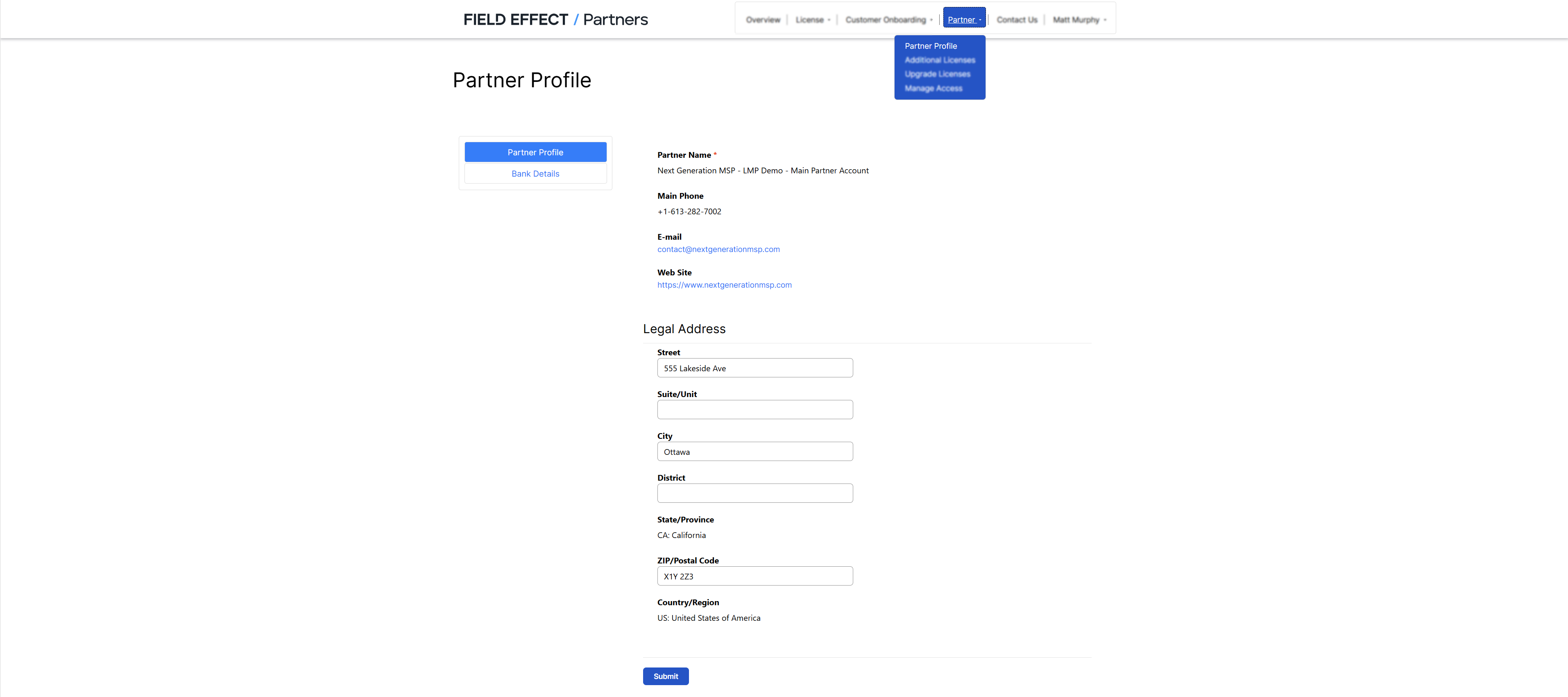
Your partner name, primary phone number, email address, and website cannot be edited from the Partner Profile page. To update these fields, contact your Field Effect Sales Associate.
Use the Partner Profile page in the License Management Portal (LMP) to keep your organization's shipping and billing information up to date. Maintaining accurate information helps ensure appliances are delivered to the correct location and that service billing details remain current.
This article covers the following topics:
- Update Your Default Shipping Address
- Update Your Banking Information
- Editing your Default Shipping Address
- Editing you Bank Details
Update Your Default Shipping Address
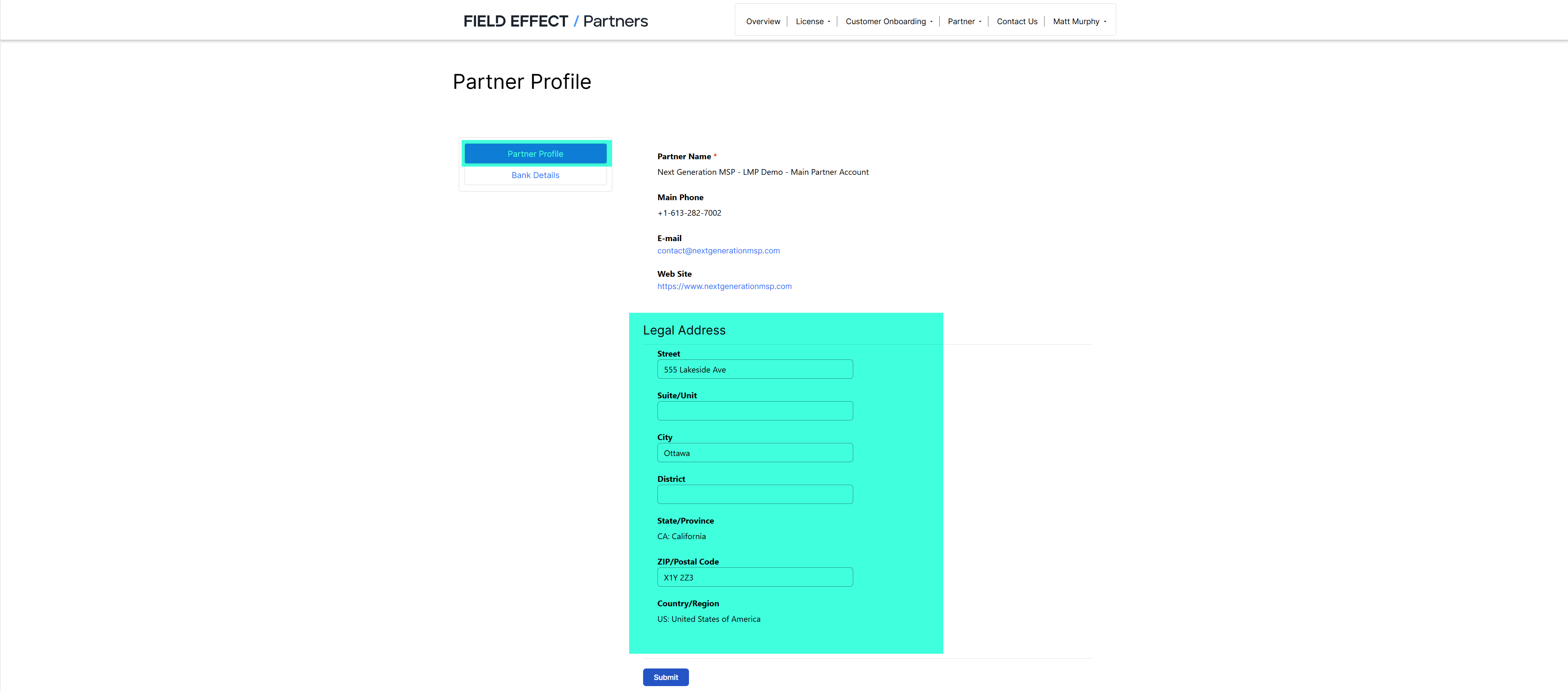
Your default shipping address is used when Field Effect appliances are shipped to your organization before deployment to a client environment. This address is also available as an option when onboarding a new customer.
To update your shipping address:
- Sign in to the License Management Portal and navigate to the Partner Profile page
- Ensure the Details selector is set to Partner Profile.
- Update the shipping address fields as required.
- Select Submit to save your changes.
Update Your Banking Information
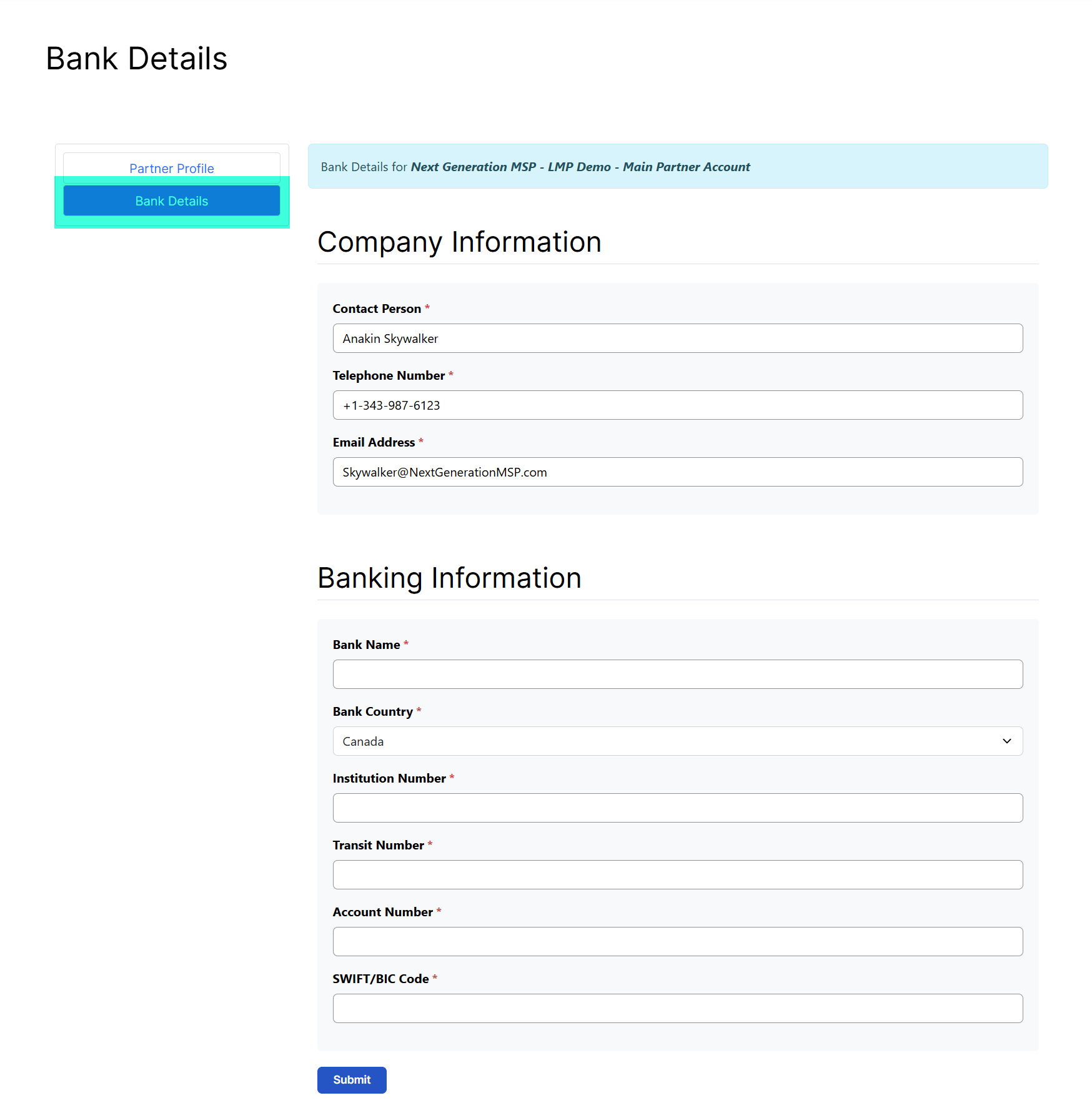
Banking information stored in your Partner Profile is used for service tier billing. If your organization's banking details change, update them to ensure billing information remains accurate.
To update your banking information:
- Sign in to the License Management Portal and navigate to the Partner Profile page
- Change the Details selector to Bank Details.
- Update the required banking information.
- Select Submit to save your changes.
Was this article helpful?
That’s Great!
Thank you for your feedback
Sorry! We couldn't be helpful
Thank you for your feedback
Feedback sent
We appreciate your effort and will try to fix the article