Introduction
Welcome to Field Effect MDR. If you're accessing the MDR Portal for the first time, this guide outlines the key first steps you should take as an end user to familiarize yourself with the platform and ensure your organization gets the most value from Field Effect MDR.
Create an Account and Sign into the MDR Portal
Your administrators sent you an invitation to create an account and access your organization in the MDR Portal. When you receive the email invitation, follow the link to the MDR Portal, create your account, and log in.
You cannot create an MDR Portal account until you have been invited into an organization.
The Homepage & Navigation
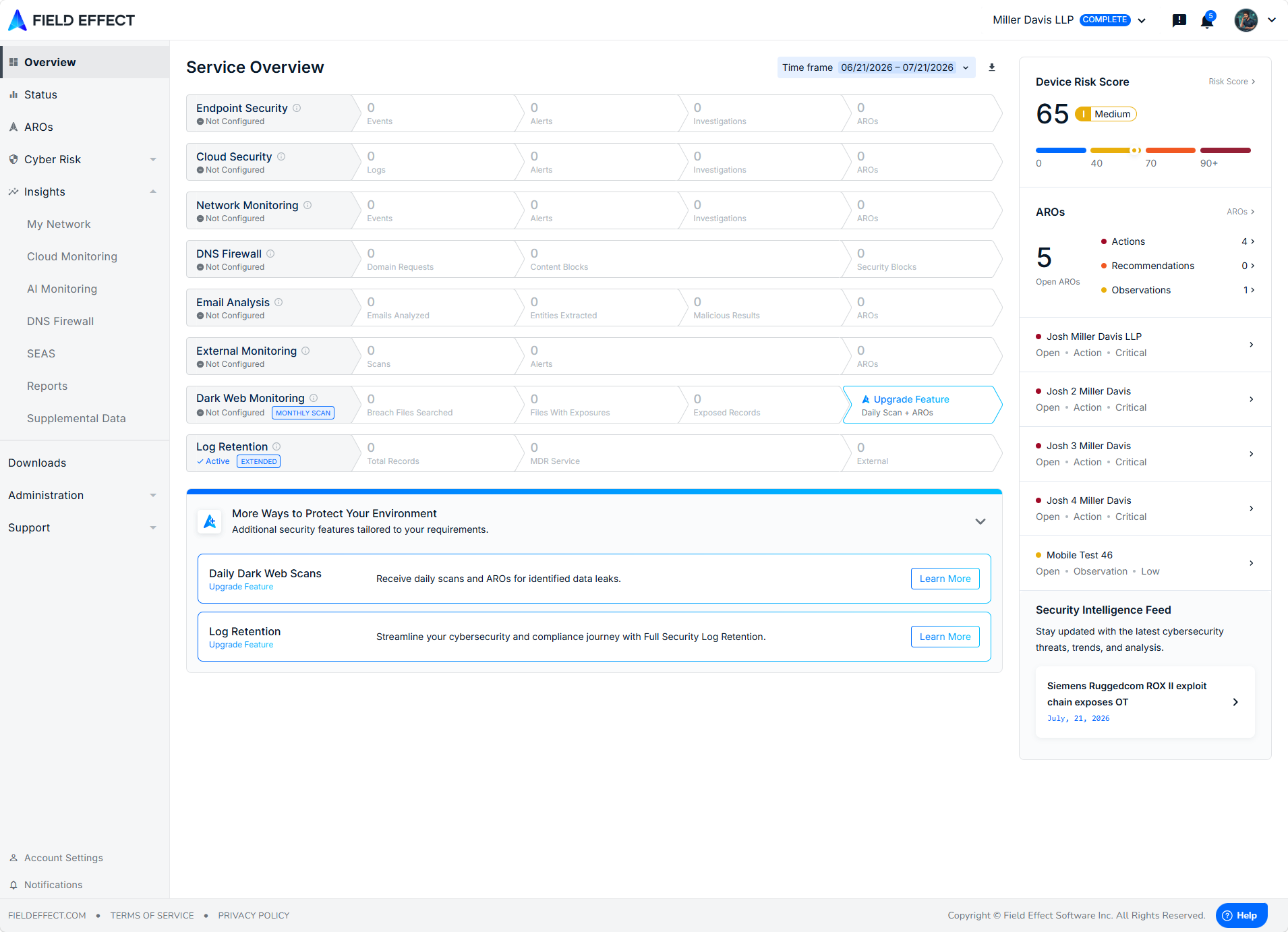
Once logged in, you will see the Service Overview homepage. The data on this dashboard depends on your organization's service tier, and how far along your administrators are in the deployment process. The sidebar organizes all the dashboards, reporting, and other settings, available in the MDR Portal.
Learn More:
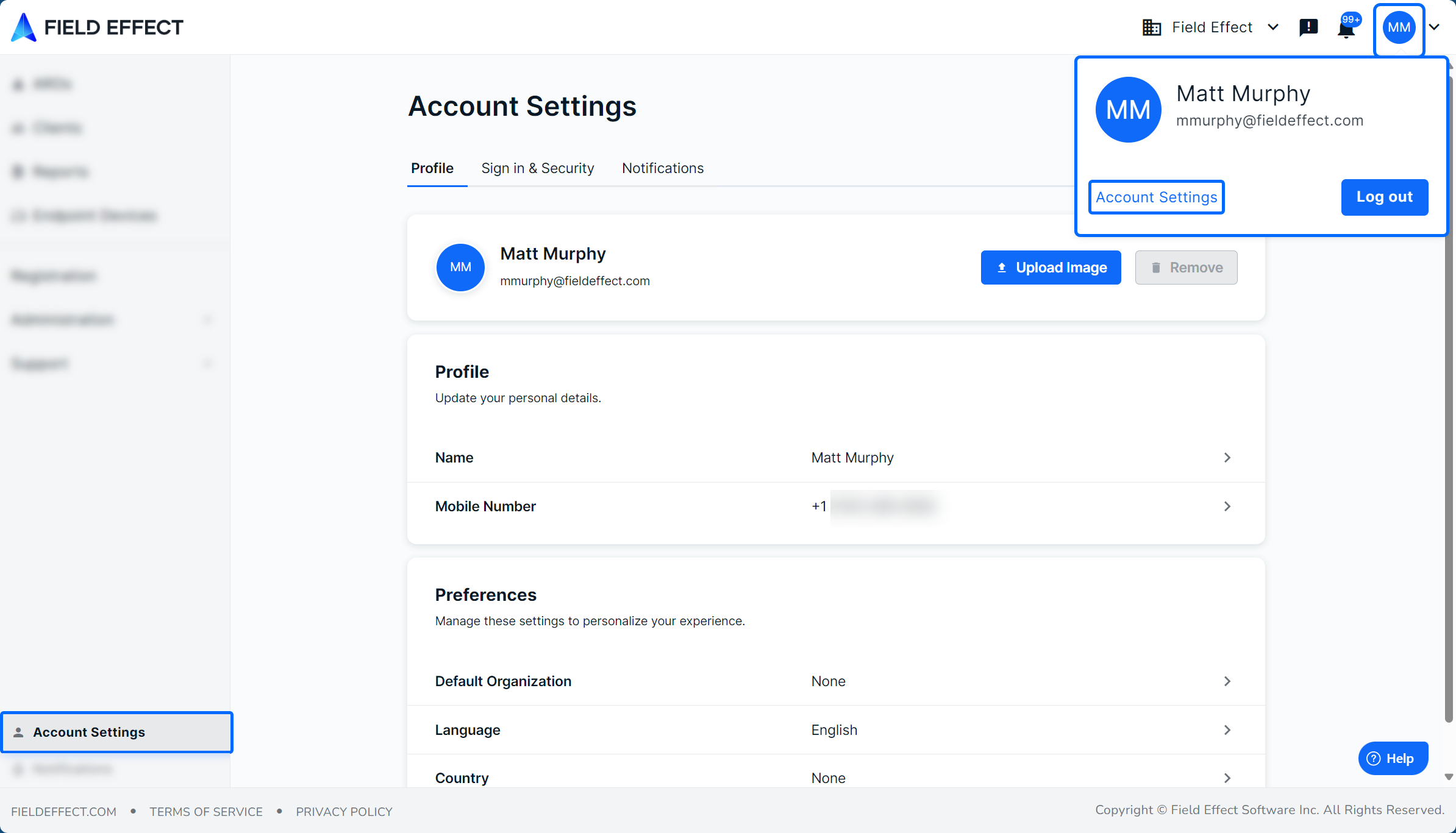
Your Account & Notification Settings
You should now set your account and notification settings.
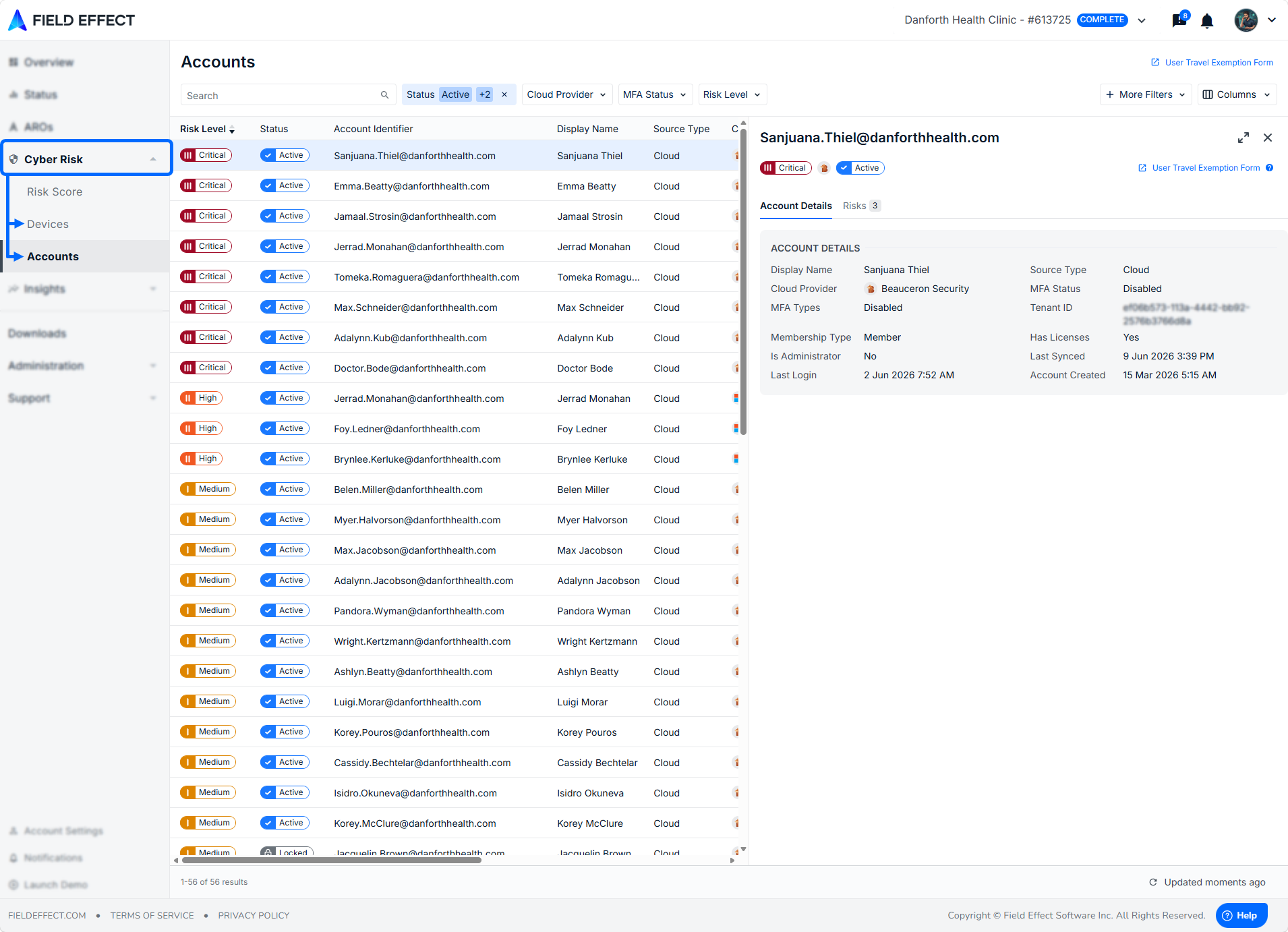
Your organization's integrations and endpoint agents will appear in the Cyber Risks section's Accounts and Devices page. Ensure that you recognize all of the devices and accounts.
Learn More:
Receive and Address AROs
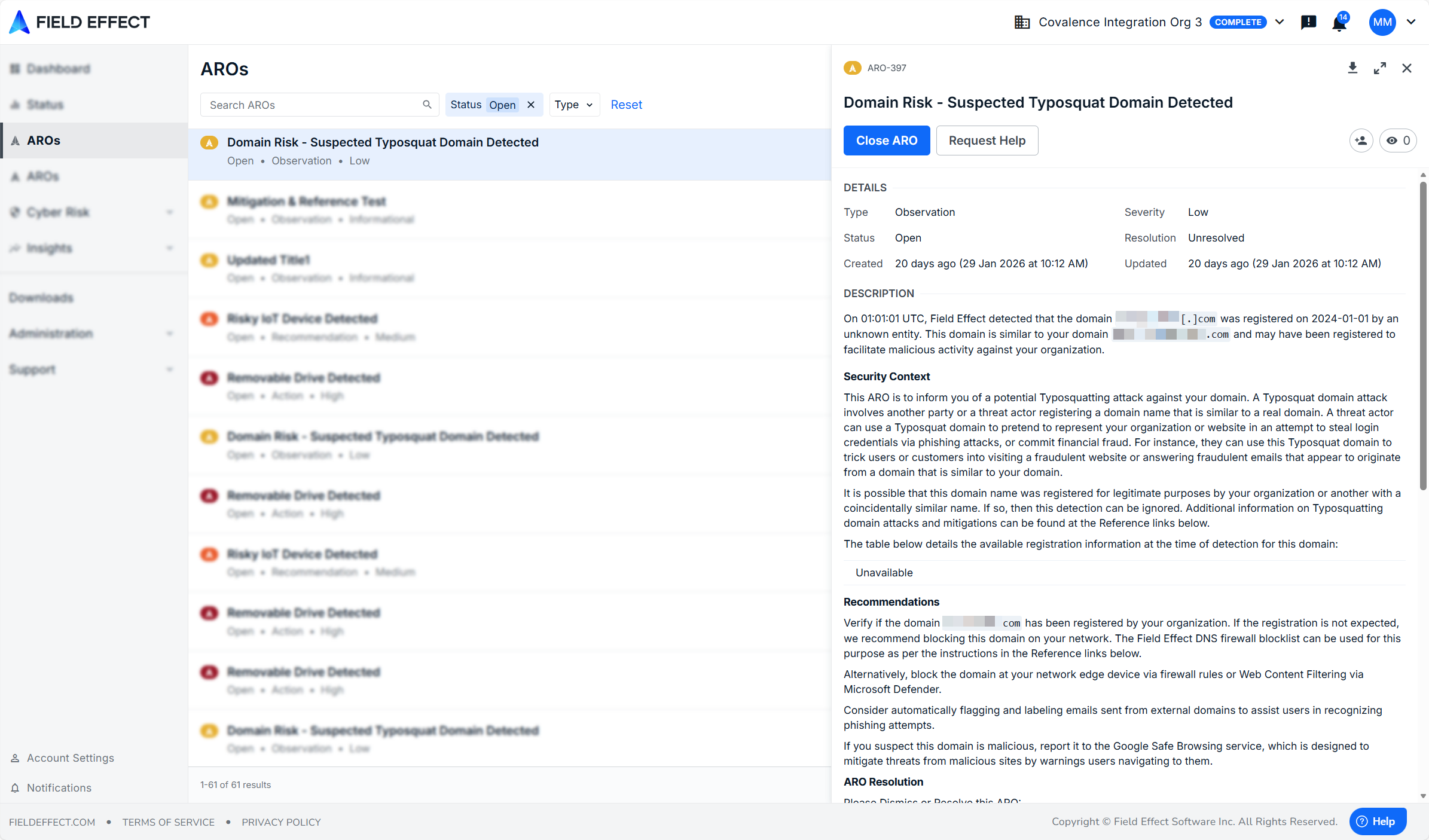
An ARO (Action, Recommendation, or Observation) is a structured alert that highlights relevant security activity in your environment to help you understand what’s happening, and what to do next. AROs are designed to:
- Reduce noise from low-value alerts
- Highlight meaningful issues
- Provide clear, actionable guidance
Field Effect MDR will detect issues and vulnerabilities within your environment and generate AROs. You can address the ARO's underlying issue(s) and close the ARO.
Was this article helpful?
That’s Great!
Thank you for your feedback
Sorry! We couldn't be helpful
Thank you for your feedback
Feedback sent
We appreciate your effort and will try to fix the article