Introduction
If you have tried to upgrade a client by removing them from the LMP and adding them again in a new service tier, this will cause an error with our automations. Please use the procedure described below for all customer upgrades.
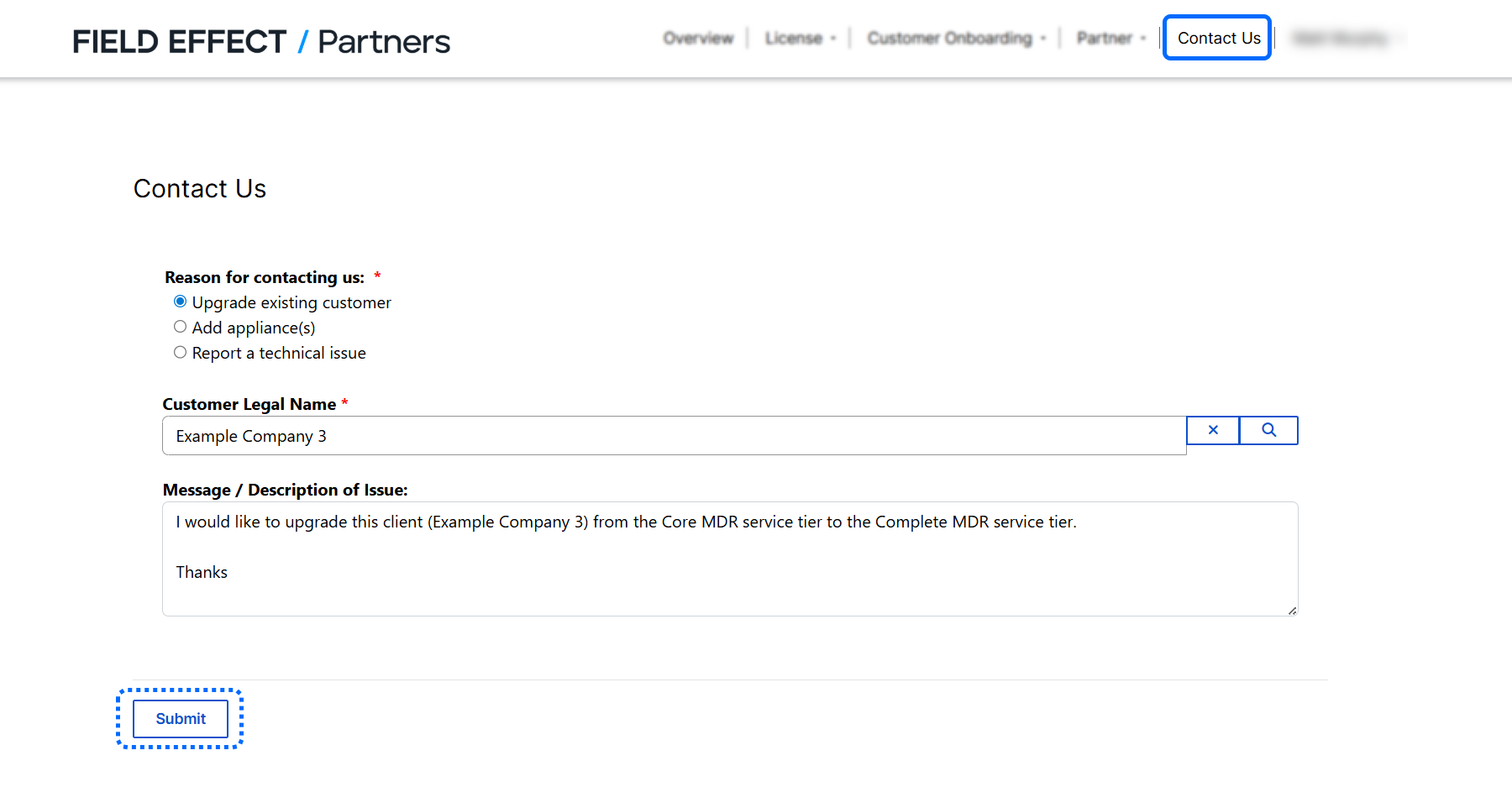
You can change an existing customer's service tier (upgrade from MDR Core to MDR Complete, for example) using the Licence Management Portal's (LMP's) Contact Us form, found in the upper navigation pane.
This article covers the following topics:
Procedure
From the Contact Us page:
- Select Upgrade existing customer as your reason for contacting us
- Add the customer you want to change in the Customer Legal Name field
- Provide a message that includes details about the change you want to make.
When ready, click Submit. This will notify our Sales team, and they will reach out to fulfill your request.
Finding Customers
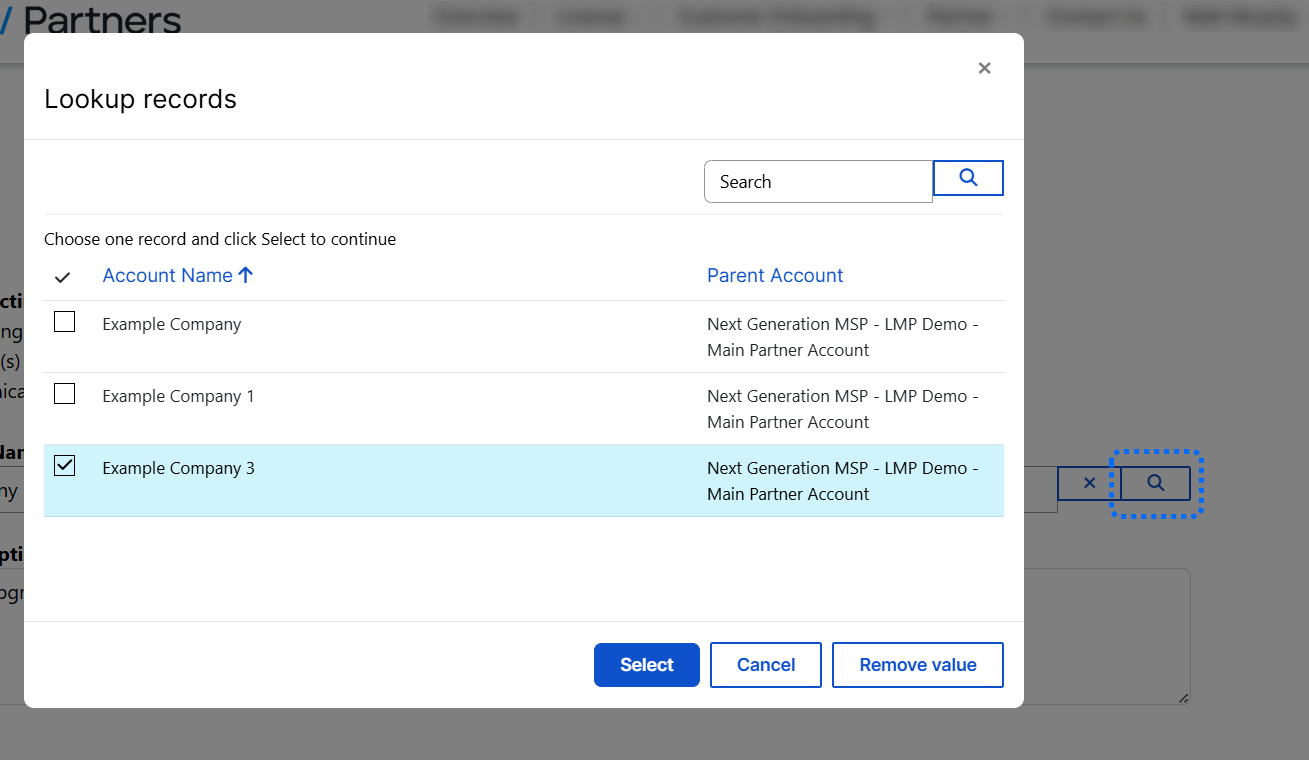
Click the magnifying glass icon beside the Customer Legal Name to open a search window to find the customer you want to upgrade.
Was this article helpful?
That’s Great!
Thank you for your feedback
Sorry! We couldn't be helpful
Thank you for your feedback
Feedback sent
We appreciate your effort and will try to fix the article