When enabling Active Response, you are asked to set a Response Policy that dictates your organization's tolerance for risk, which informs Active Response as to how aggressively it should respond to threats and other indicators of compromise.
While you can use the Bulk Editing feature to change the Active Response status for many endpoint devices, you can also use Bulk Editing to edit only a single endpoint device. When the bulk editor's sector buttons become visible on the Devices page, only select the single device and make your changes.
See our Help Center article on Bulk Editing on the Devices page to perform this task.
Bulk editing endpoint devices
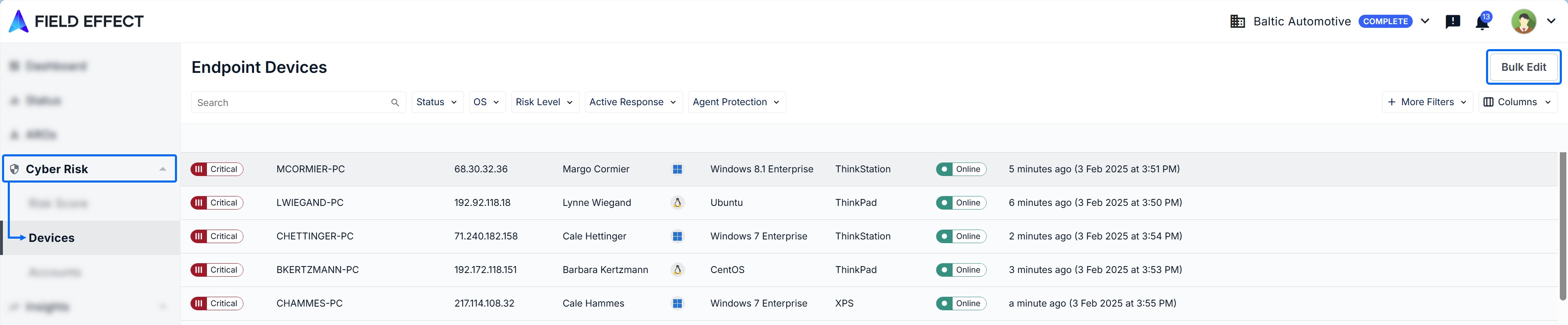
From the Devices page (Cyber Risk section), click Bulk Edit in the upper right.
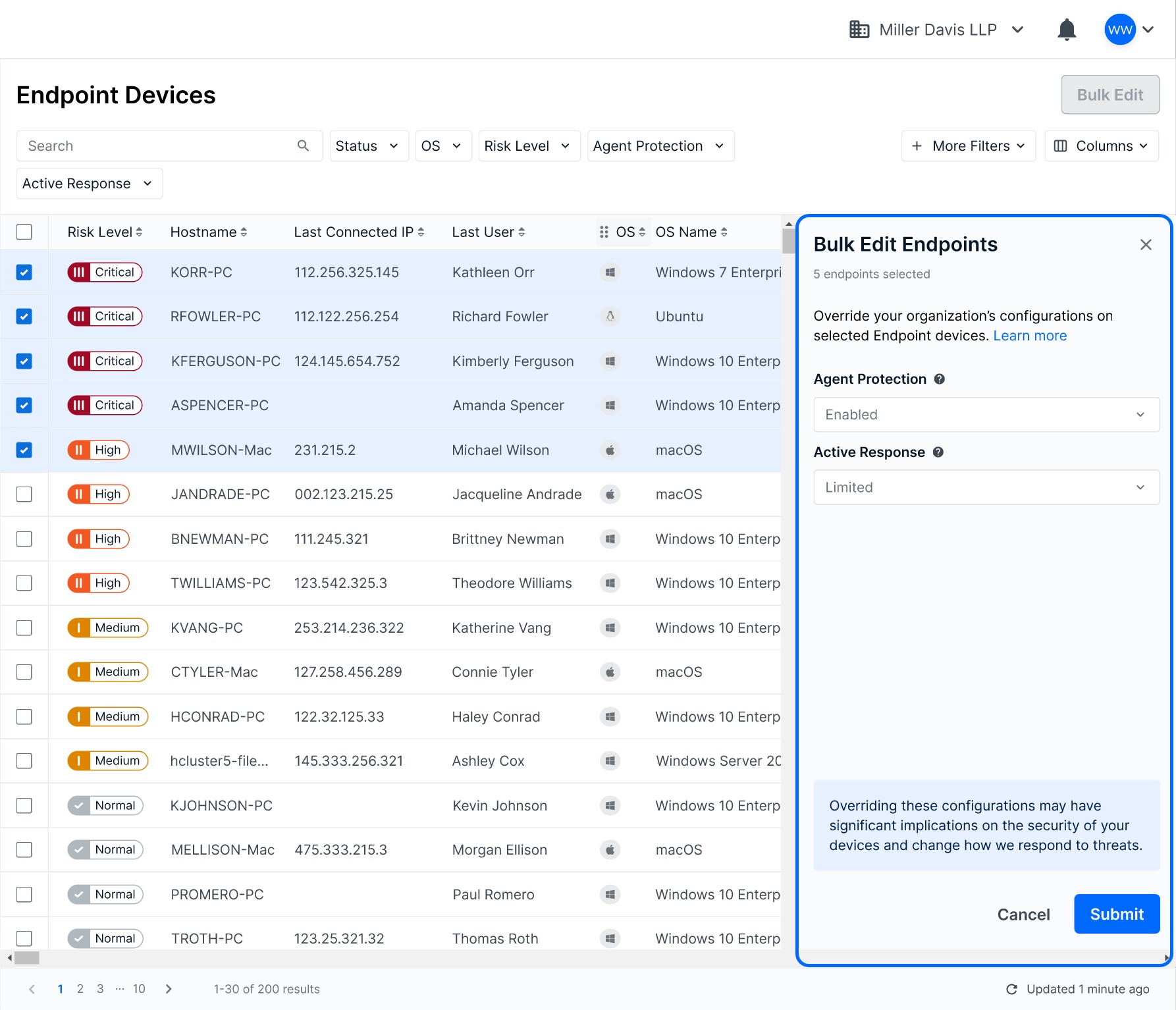
Checkboxes will appear in the table, and the Bulk Edit Endpoints pane will expand on the right. Use the check boxes to select the endpoints you want to edit. Once selected, make your configuration changes in the Edit pane and click Submit to confirm.
Was this article helpful?
That’s Great!
Thank you for your feedback
Sorry! We couldn't be helpful
Thank you for your feedback
Feedback sent
We appreciate your effort and will try to fix the article