Introduction
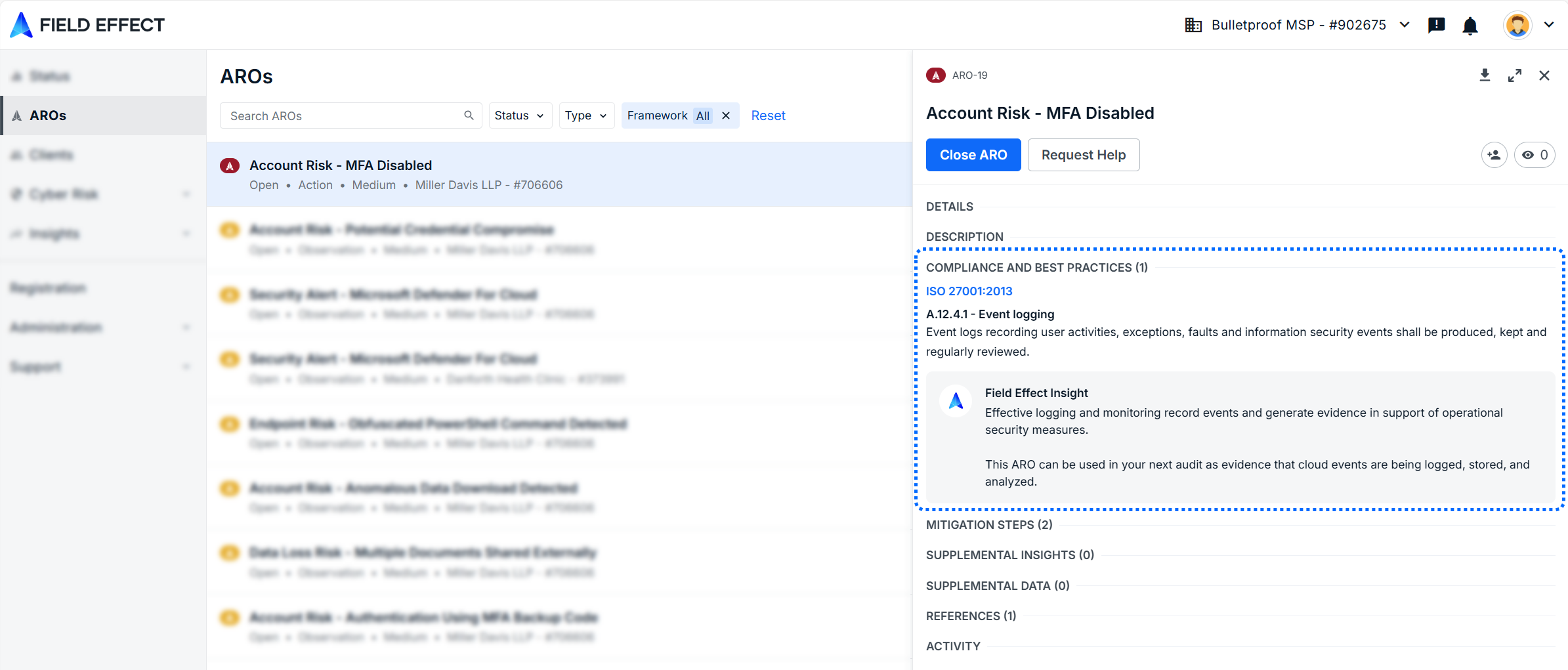
Compliance Mapping helps you understand how AROs (Actions, Recommendations, and Observations) impact your organization’s compliance posture. By mapping AROs to recognized frameworks, you can quickly identify gaps, support audits, and prioritize remediation.
Once enabled, AROs will include:
- Mapped compliance controls
- Relevant best practices
- Additional context to support remediation and reporting
This article covers the following topics:
Before You Begin
- Partners: This feature must be enabled per client
- Ensure the Organization Selector is set to the correct client
- All changes apply to only the currently selected client
- You must have access to the Service Profile in the Administration section
Supported Frameworks
Field Effect supports the following compliance frameworks:
- ISO 27001: International standard for information security management
- CCCS Baseline Controls v1: Canadian cybersecurity baseline guidance
- NIST SP 800-171 v2: Requirements for protecting sensitive data
- NIST CSF 2.0: Requirements for protecting sensitive data
- Field Effect Controls Framework: A comprehensive default framework developed by Field Effect’s vCISO team
Choose a framework based on your organization’s regulatory requirements or existing compliance program.
Enable compliance mapping
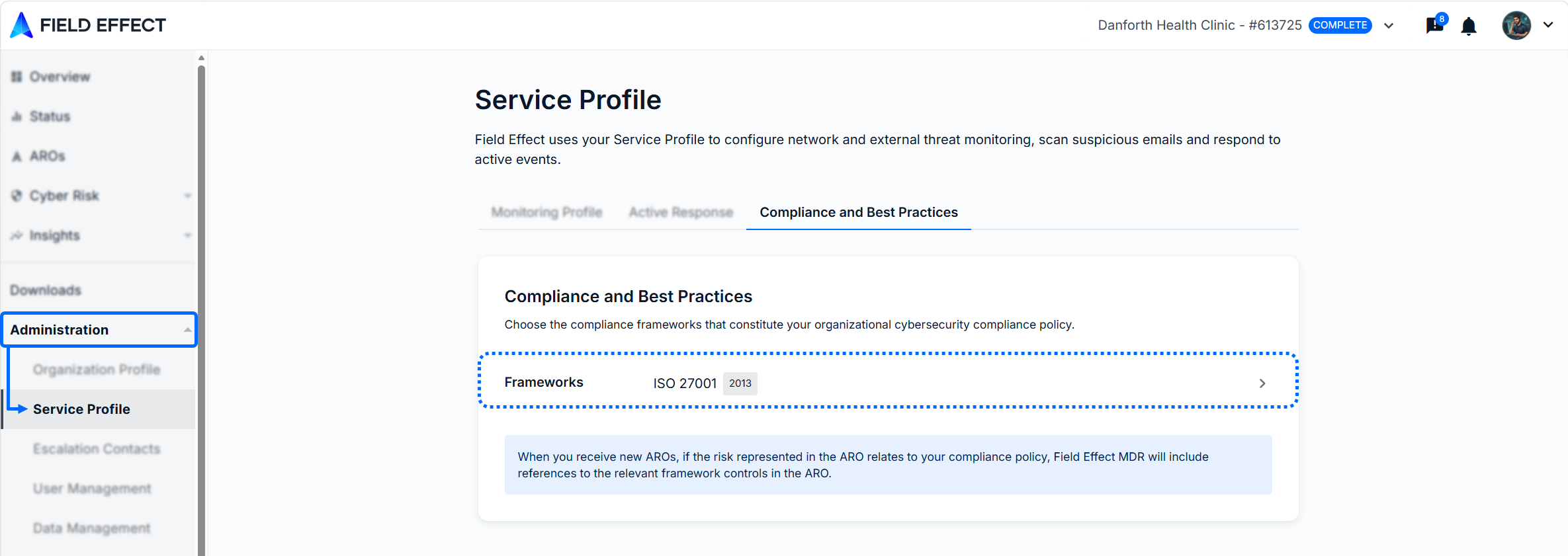
- Navigate to Administration >Service Profile
- In the Compliance and Best Practices section, click Frameworks
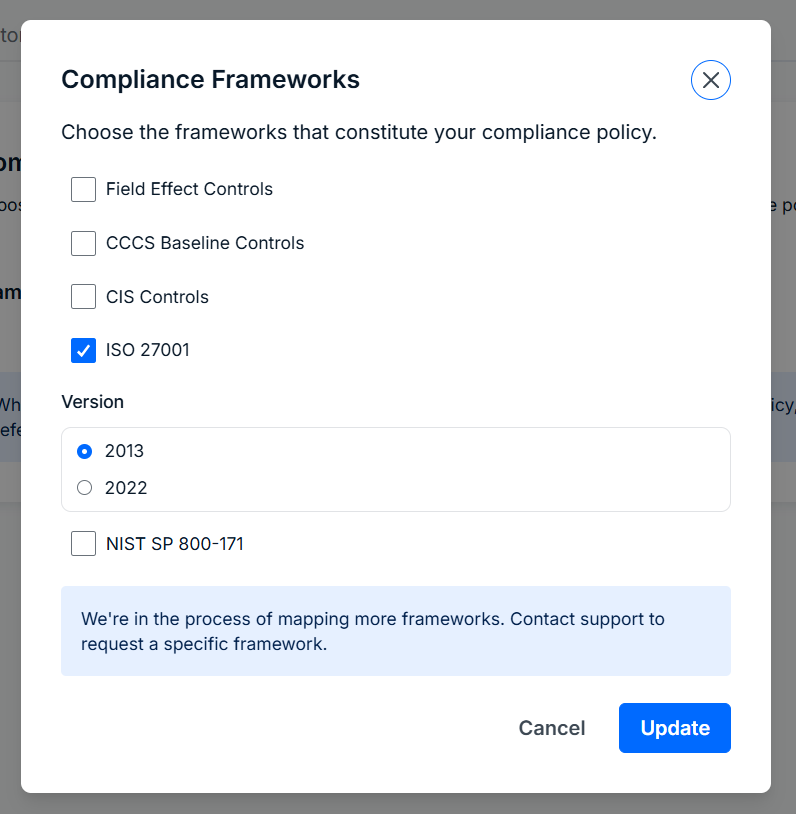
- In the Compliance Frameworks window:
- Select one or more frameworks
- Click Save
Result:
- Selected frameworks appear in the Service Profile.
- Future AROs include a Compliance and Best Practices section showing impacted controls.
Disable compliance mapping
- Navigate to Administration > Service Profile
- In Compliance and Best Practices, click Frameworks
- Uncheck all selected frameworks
- Click Save
Result:
- Compliance mapping is removed from future AROs
- Previously generated AROs retain their existing mapping
Was this article helpful?
That’s Great!
Thank you for your feedback
Sorry! We couldn't be helpful
Thank you for your feedback
Feedback sent
We appreciate your effort and will try to fix the article