Introduction
AROs are designed to be clear and actionable without requiring deep technical context. By default, supplemental insights and raw data are hidden to keep the experience streamlined.
However, you can enable these features to access additional technical details used by analysts during investigation.
Enable supplemental insights if you:
- Need deeper visibility during investigations
- Want to validate or expand on an ARO’s findings
- Are supporting escalations or audits
This article covers the following topics:
Enable Supplemental Insights & Raw Data
Procedure:
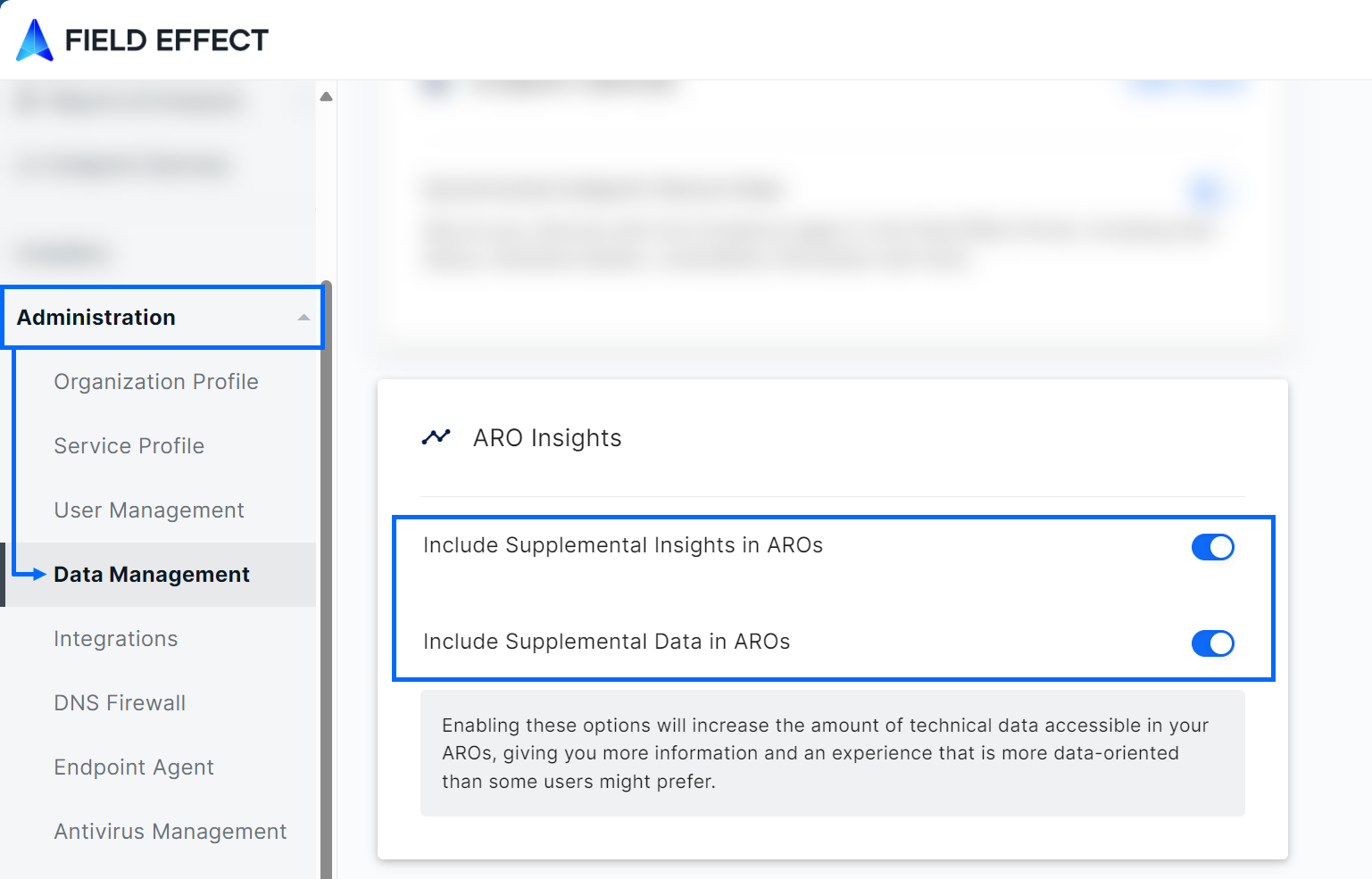
- In the sidebar, navigate to Administration > Data Management.
- Locate the ARO Insights section and enable:
- Supplemental Insights
- Supplemental Raw Data (optional)
Result:
- AROs will now include a Supplemental Insights section when data is available
- A Raw Data download option will appear within the ARO
Supplemental Insights
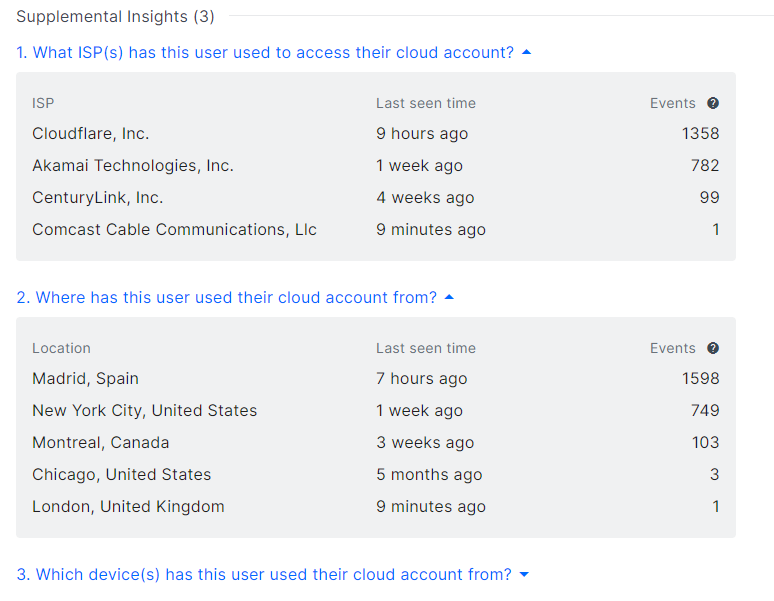
Supplemental insights provide supporting data used by analysts during investigation. This data is typically derived from your organization’s telemetry.
Examples and how to use them:
- User login locations
- Helps identify unusual or suspicious geographic activity
- Devices used for authentication
- Useful for detecting unfamiliar or unauthorized devices
- Internet Service Provider (ISP)
- Helps validate whether access patterns are expected or anomalous
These insights appear directly within the ARO when relevant.
Supplemental Raw Data
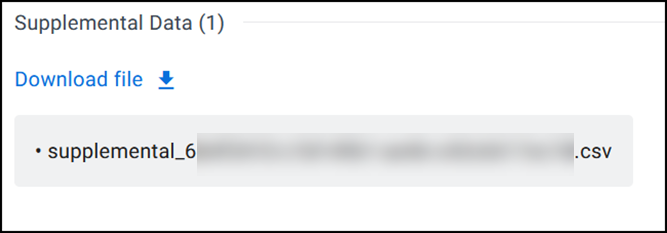
When enabled, AROs also include a downloadable ZIP file containing the underlying data used in the investigation.
Download raw data when you need to:
- Perform deeper internal analysis
- Share findings with security teams or auditors
- Retain investigation evidence
To download:
- Open the ARO
- Locate the Supplemental Raw Data section
- Click Download file
Was this article helpful?
That’s Great!
Thank you for your feedback
Sorry! We couldn't be helpful
Thank you for your feedback
Feedback sent
We appreciate your effort and will try to fix the article