Introduction
Before using this feature, you need to enable the DNS Firewall (on-network or roaming).
DNS Firewall includes a set of security-focused categories that are always blocked to help protect your organization from malicious or harmful websites. In addition to these default protections, administrators can enable additional content-blocking categories to restrict access to websites that may not align with organizational policies.
This article explains how to manage the additional categories blocked by DNS Firewall.
Before You Begin
Before adjusting DNS Firewall categories, ensure that:
- DNS Firewall has been enabled for your organization.
- You have administrator access to the MDR Portal.
- You understand that some default security categories cannot be disabled.
This functionality is only available after your organization configures the Firewall.
Adjust Content Blocking Categories
In the MDR Portal, navigate to Administration > DNS Firewall.
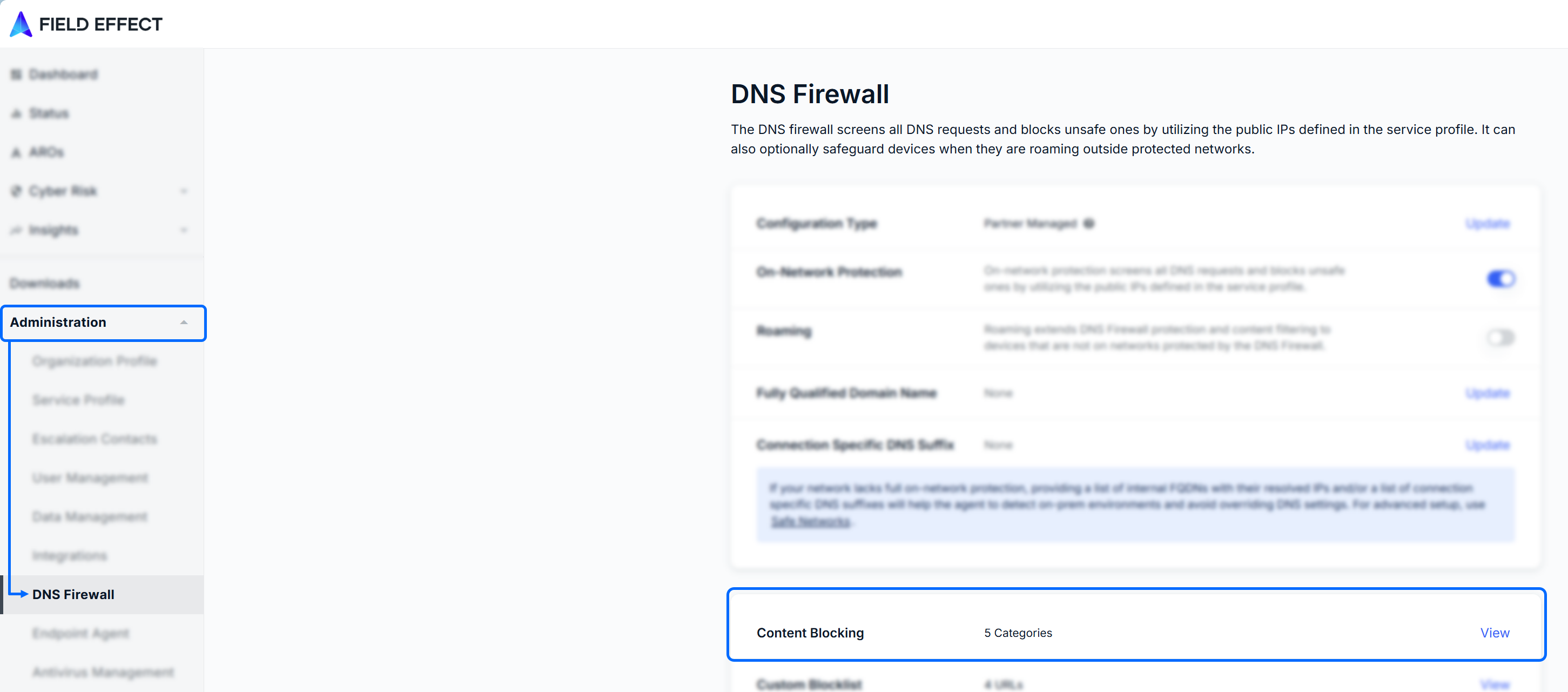
From here:
- Click thew Content Blocking section, to open the category selection window.
- Select the checkboxes beside the categories you want DNS Firewall to block.
- Click Update to save your changes.
Some security-related categories are enabled by default and cannot be disabled. These categories appear grayed out in the category selection window.
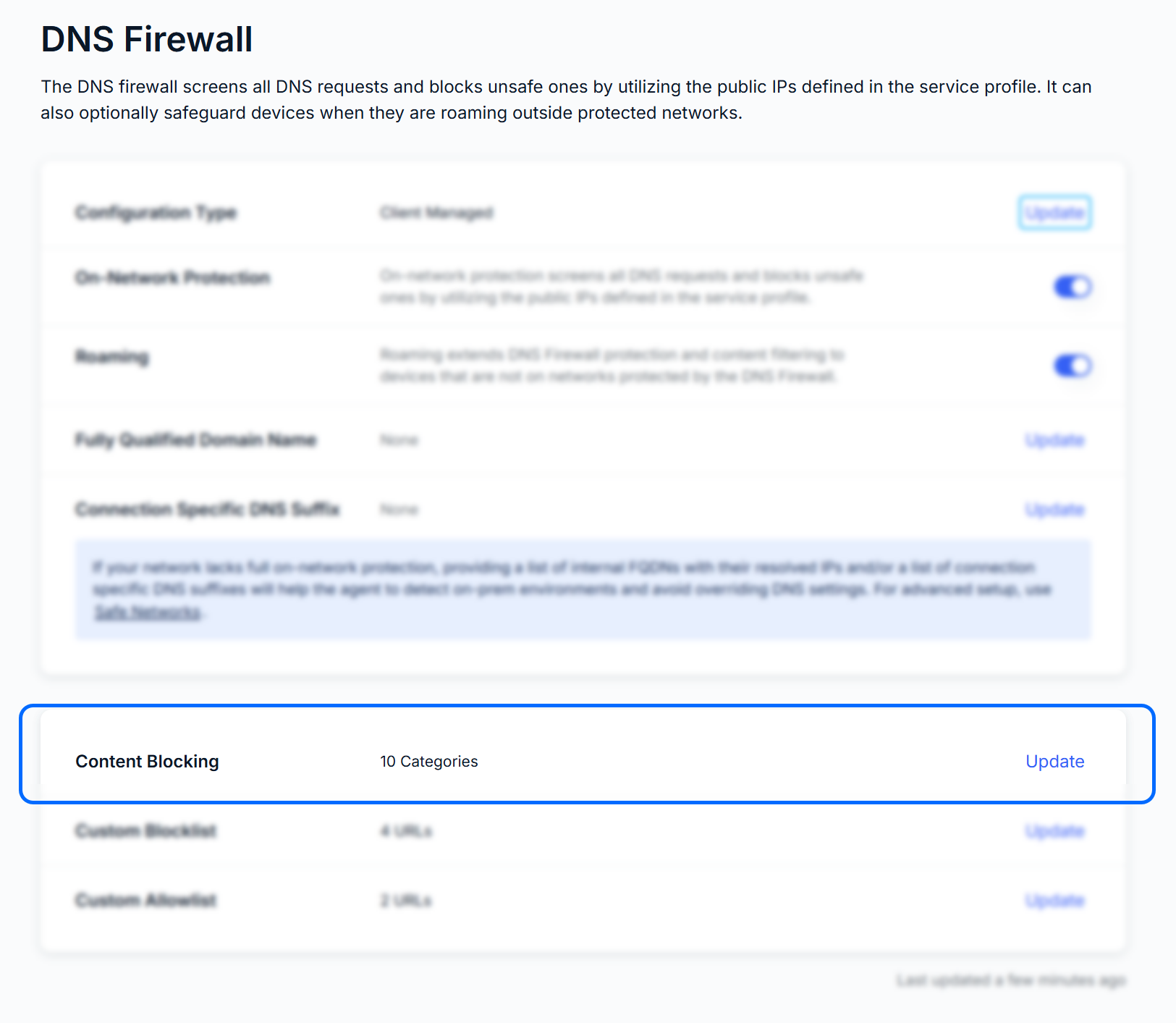
You’ll be taken back to the main DNS Firewall page, and the Content Blocking Section will display the total number of categories being blocked, including default categories.
Verify Your Changes
After updating the categories:
- Return to the DNS Firewall page.
- Review the Content Blocking section.
- Confirm that the number of blocked categories reflects your changes.
The total displayed includes both the default categories and any additional categories you have enabled.
Was this article helpful?
That’s Great!
Thank you for your feedback
Sorry! We couldn't be helpful
Thank you for your feedback
Feedback sent
We appreciate your effort and will try to fix the article