Introduction
The SEAS page allows you to review emails submitted through the Suspicious Email Analysis Service (SEAS), understand why messages were classified as safe, suspicious, or malicious, and investigate related security activity within your organization.
The page serves as the primary workspace for reviewing email analysis results and investigating potentially malicious communications.
This article covers the following topics:
Access the SEAS Page
Partners: The SEAS page can only be accessed on a per-client basis. Before viewing SEAS results, use the Organization Selector to choose the client whose submissions you want to review.
To access this page:
- Log into the MDR Portal
- If you are a partner, use the organization selector to select the appropriate client organization.
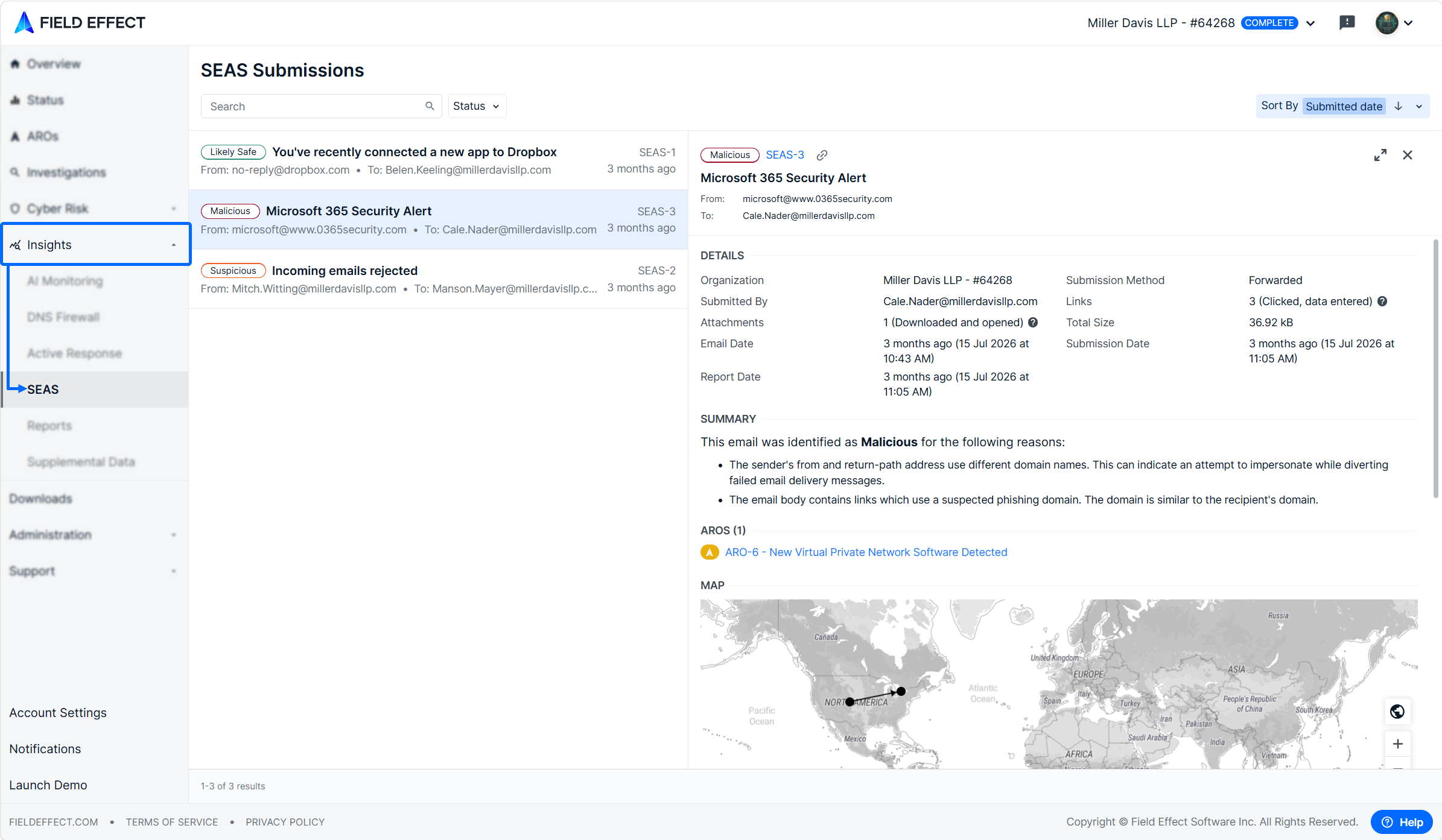
- In the sidebar, Expand the Insights section and click SEAS.
Understanding the SEAS Page
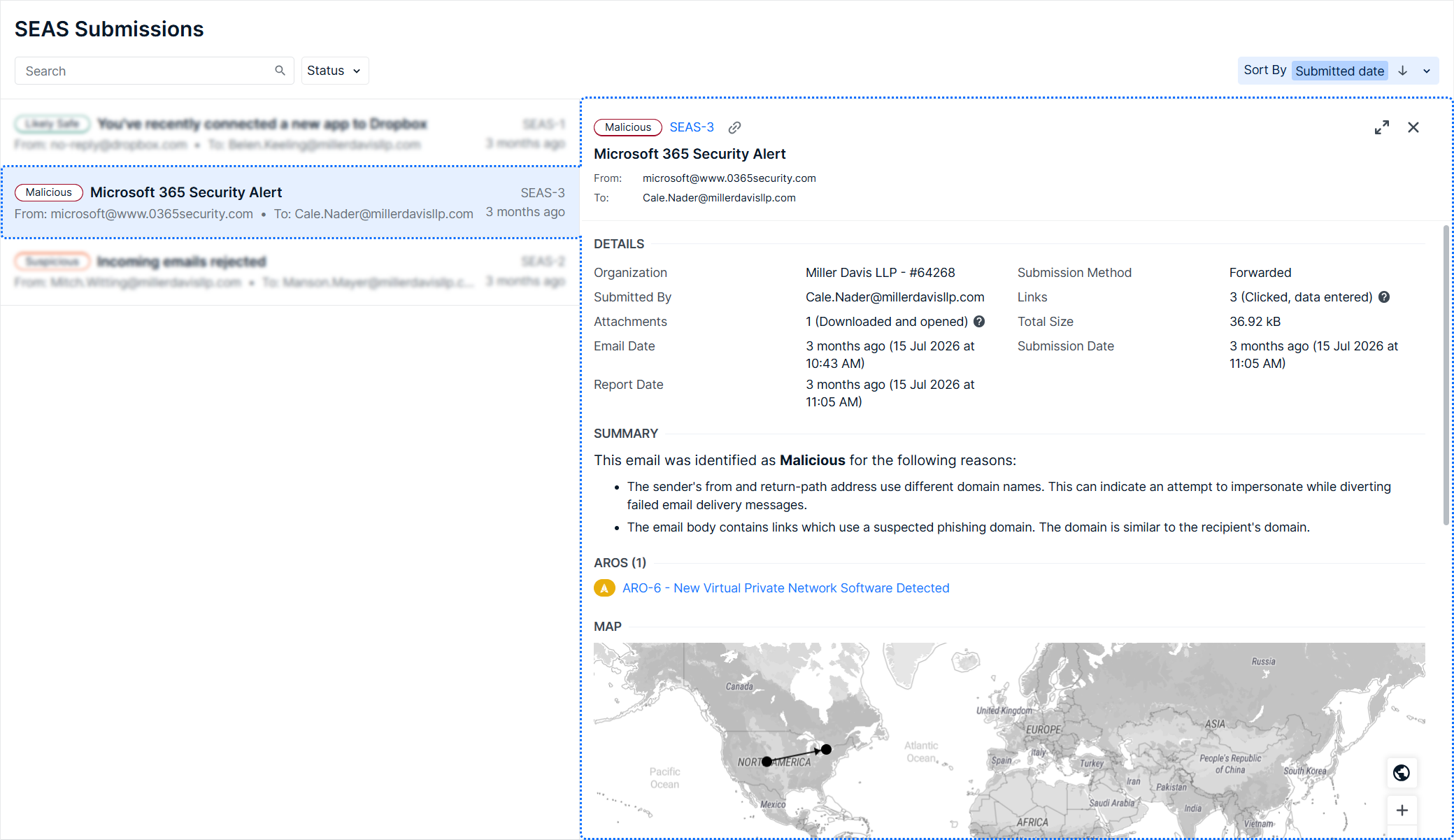
The SEAS page uses a two-panel layout similar to the AROs page:
- The left panel displays a list of email submissions.
- The right panel displays detailed information about the selected submission.
Select an email submission from the list to review the analysis results and supporting investigation details.
Information Available for Each Submission
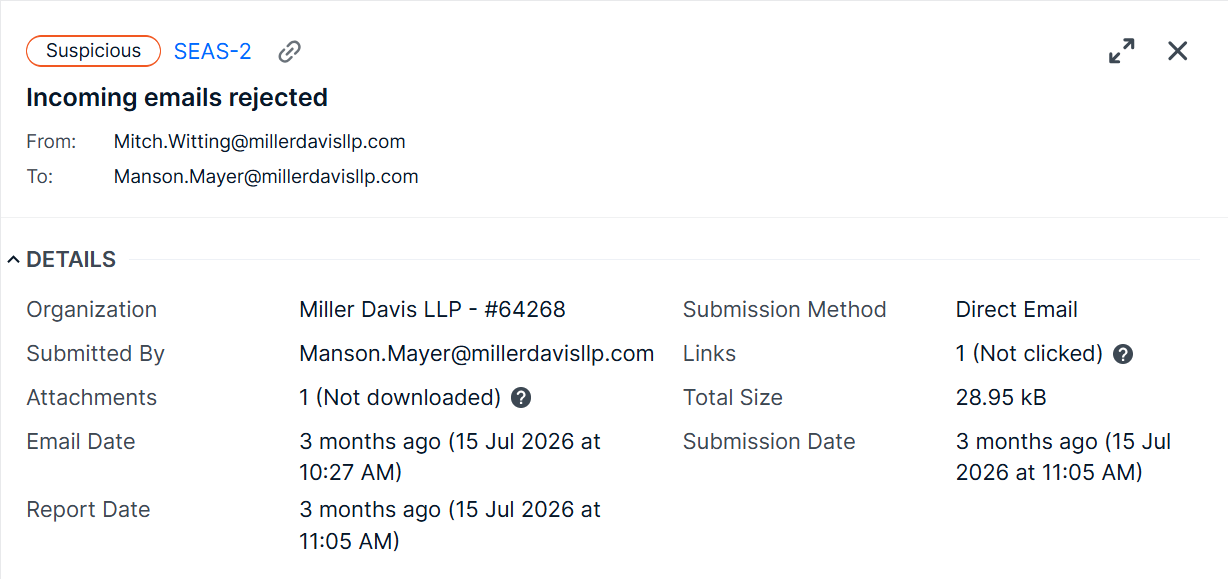
When reviewing a submitted email, you can view:
Email Details
Review key information about the message, including:
- Sender
- Submission date
- Analysis date
- Additional message details relevant to the investigation
Analysis Summary
View a summary of the analysis and the factors that contributed to the email being classified as:
- Safe
- Suspicious
- Malicious

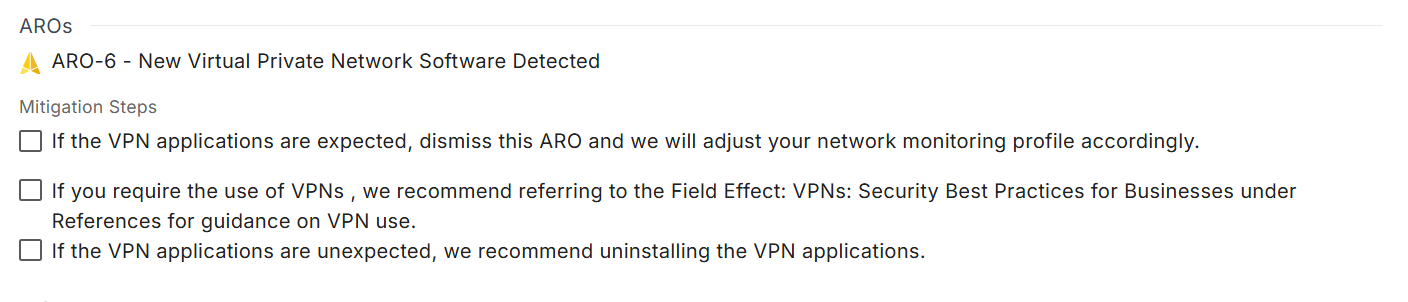
Related AROs & Mitigation Steps
Identify any Alert Response Observations (AROs) that may be associated with the email or generated as a result of related activity. Check off mitigation steps as you complete them.
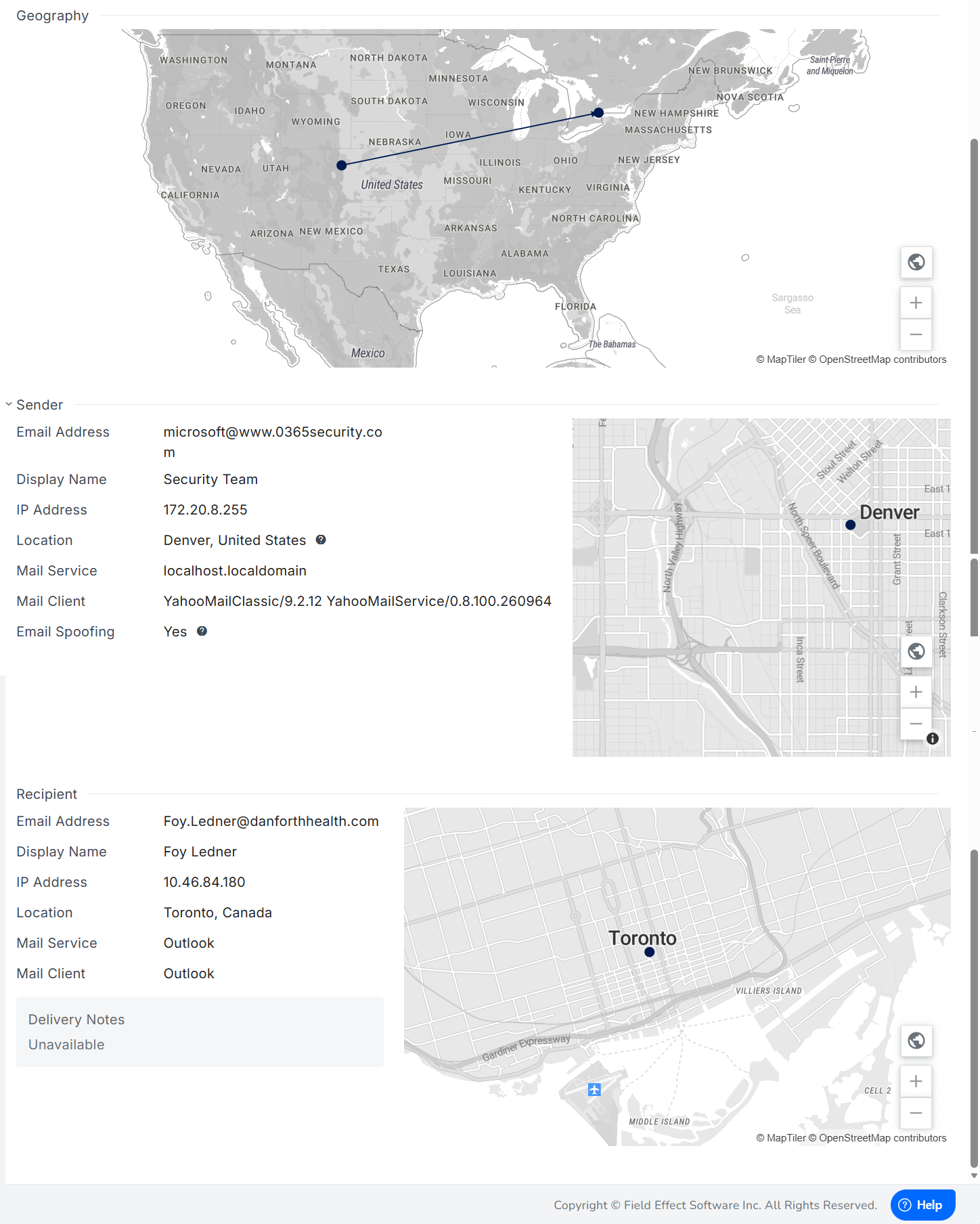
Geographic, Sender & Recipient Information
Review geographic information about the message origin and destination to support your investigation.
Inspect technical details about the sender, including:
- Email address
- Display name
- IP address
- Mail service information
- Other sender-related details included in the analysis
Was this article helpful?
That’s Great!
Thank you for your feedback
Sorry! We couldn't be helpful
Thank you for your feedback
Feedback sent
We appreciate your effort and will try to fix the article